Home · Blog · Virtual Staging Cost
Virtual Staging Cost in 2026: Is It Worth It?
Empty rooms photograph badly. Buyers can't tell if a sofa fits or where the bed goes. Virtual staging fixes that for a fraction of the cost of renting furniture. Here's what it costs, what to watch out for, and how to do it yourself.
The short answer
Virtual staging from a staging company typically costs about $20 to $100 per photo, with most listings needing 4 to 8 photos — roughly $100 to $600 per listing. Traditional staging with rented furniture usually runs $1,500 to $5,000+ for a typical home over a few months.
AI tools now let agents and homeowners stage a room themselves in seconds for a few dollars or free. Whatever you use, always label virtually staged photos and keep the original — most MLSs and state rules require it.
How much virtual staging costs
| Option | Typical price | Turnaround |
|---|---|---|
| DIY AI staging tool | Free – a few dollars per photo | Seconds |
| Budget virtual staging service | $20–$40 per photo | 1–2 days |
| Premium virtual staging service | $50–$100+ per photo | 1–3 days |
| Virtual renovation (new floors, paint, kitchen) | $100–$300+ per photo | 2–5 days |
| Traditional staging, vacant home | $1,500–$5,000+ (first month or package) | 1–2 weeks to schedule |
Prices vary by company and market. Most agents stage only the key rooms — living room, primary bedroom, kitchen/dining and sometimes an office — so 4 to 8 photos is typical.
Virtual vs. traditional staging
| Virtual staging | Traditional staging | |
|---|---|---|
| Cost | Low — usually hundreds | High — usually thousands |
| Speed | Hours to days (seconds with AI) | Weeks to schedule and install |
| Style options | Unlimited — stage the same room 3 ways | One style per room |
| In-person showings | Rooms are still empty | Buyers walk through a furnished home |
| Risk | Must be disclosed; can disappoint if overdone | Damage and monthly rental fees |
| Best for | Vacant homes, online-first marketing, tight budgets | High-end listings, homes with lots of foot traffic |
The National Association of Realtors' Profile of Home Staging has repeatedly found that most buyers' agents say staging makes it easier for buyers to picture a property as their future home. Since most buyers start their search online, the listing photos are where staging does most of its work — which is why virtual staging has become so common.
Disclosure rules — don't skip this
Virtual staging is legal and widely accepted, but it has to be honest. Rules vary by MLS and state, but the safe standard is:
- Label every staged photo — for example, "Virtually staged" in the corner or caption.
- Include the original, empty photo in the listing too, so buyers aren't surprised at the showing.
- Only add furniture and decor. Don't hide or alter permanent features — cracks, water damage, views, power lines, or the size of the room. Changing the property itself can be misleading.
- If you show a virtual renovation (new paint, new floors), say clearly that it's a concept, not the current condition.
- Check your local MLS rules before posting. Your broker will know them.
How to stage an empty room yourself with AI
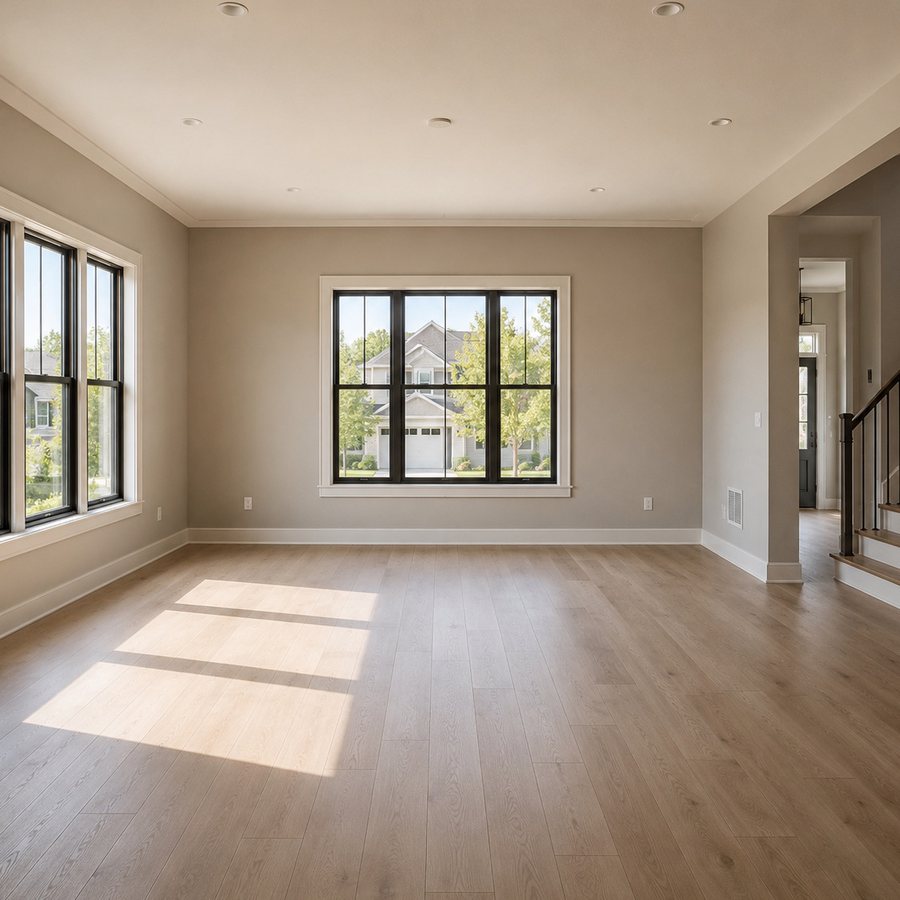
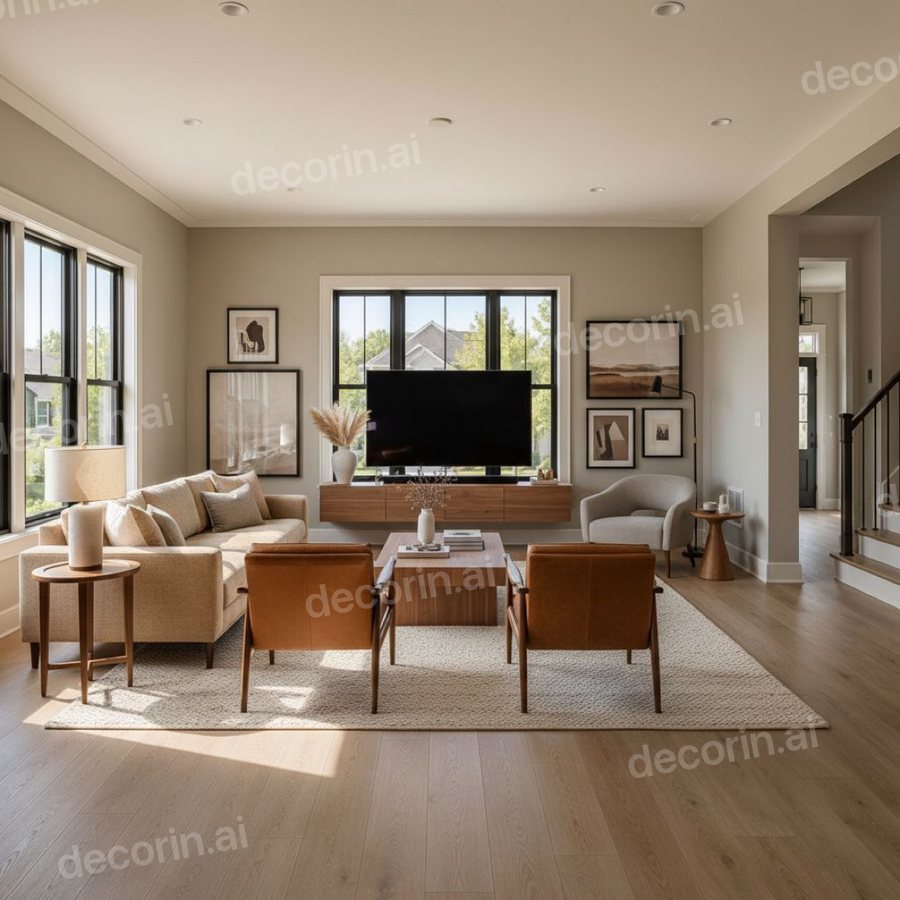
One photo of an empty room, one style. The windows, floor and walls are the ones in the photo — only the furniture is new.
- Shoot the room well. Daylight, all lights on, camera at chest height, from a corner so you see two or three walls. Horizontal or square photos work best.
- Upload it to DecorIn and pick the room type and a broad, buyer-friendly style — transitional, modern or Scandinavian sell to the most people.
- Check that the room didn't change. Windows, doors, floors and walls must stay exactly where they are. Good AI tools keep the room and only add furniture. If anything structural moved, regenerate.
- Fix one piece if needed. If the sofa is too big for the room, change just that piece instead of starting over.
- Label it and post it next to the original.
Staging tips that actually sell homes
- Go neutral. Warm whites, greige, light wood. You want buyers to imagine their stuff, not admire yours.
- Scale the furniture to the room. Oversized furniture in staged photos makes rooms look smaller — and buyers notice at the showing. Use a correctly sized sofa and the right rug.
- Show what tricky rooms are for. An odd nook becomes a reading corner; a small spare room becomes an office or nursery.
- Keep it realistic. No fantasy views or furniture blocking doorways.
- Stage the photo buyers see first. The living room or kitchen is usually the cover image.
Stage an empty room in seconds
Upload a photo of an empty room and see it furnished in a buyer-friendly style — windows, walls and floors stay exactly as they are. Free, no signup.
✨ Stage My Room — FreeFrequently asked questions
How much does virtual staging cost?
Virtual staging services typically charge about $20 to $100 per photo, or roughly $100 to $600 for a listing with 4 to 8 staged photos. AI staging tools can cost a few dollars per photo or be free.
Is virtual staging cheaper than real staging?
Yes, by a wide margin. Traditional staging with rented furniture usually costs $1,500 to $5,000 or more for a typical home, while virtual staging costs hundreds.
Do you have to disclose virtual staging?
Yes. Most MLSs and state real estate rules require virtually staged photos to be labeled, and it's best practice to include the original empty photo. Never alter permanent features of the property.
Does virtual staging help sell a house?
Staging in general helps buyers picture themselves in a home, and most buyers start online, so staged listing photos help attract interest. Results depend on the market and price.
Can I virtually stage a room myself?
Yes. Upload a well-lit photo of an empty room to an AI tool like DecorIn, choose a neutral style, check that walls, windows and floors were not changed, and label the result as virtually staged.