Home · Blog · Redesign a Room from a Photo
How to Redesign a Room from a Photo with AI
You don't need software, measurements or design skills — just one photo. Here's the exact process, from shooting the picture to refining the result with plain words.
The short version
1. Take a clear photo from a corner in good light. 2. Upload it and pick a style. 3. Let AI redesign the whole room in ~20 seconds. 4. Refine with words ("add warm lighting"), then change one thing at a time.
You can do all of it free in your browser, no signup. Below is how to get a great result the first time.
The 4 steps
Take a good photo
Stand in a corner and capture the whole room in natural light. The AI works from what it can see, so a clear, wide-enough shot matters more than anything else.
Upload and pick a style
Drop the photo in and choose a direction — modern, Japandi, coastal, luxury, and so on. The AI restyles the room while keeping your real walls, windows and camera angle.
See it redesigned
In about 20 seconds you get a photorealistic version of your room in the new style. Not quite right? Regenerate or switch styles — it's fast and free.
Refine with words
Type an edit — "add a large rug and warm lighting", "make the walls sage green" — and it applies to the design you already have, no starting over.
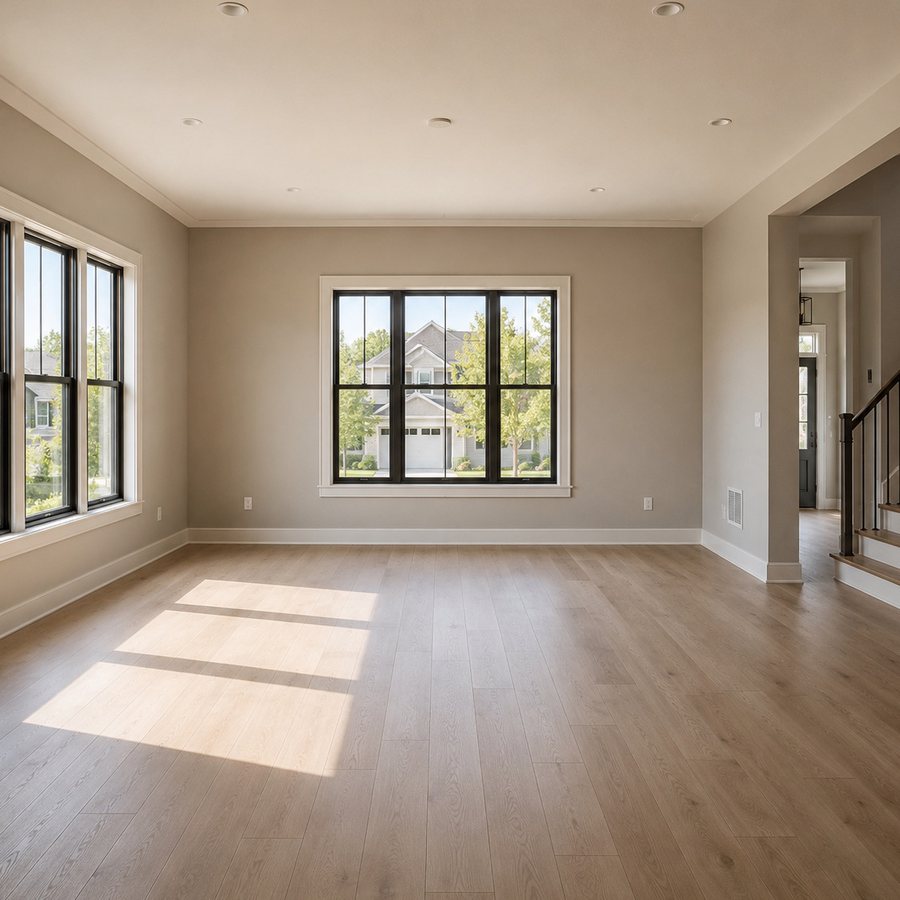
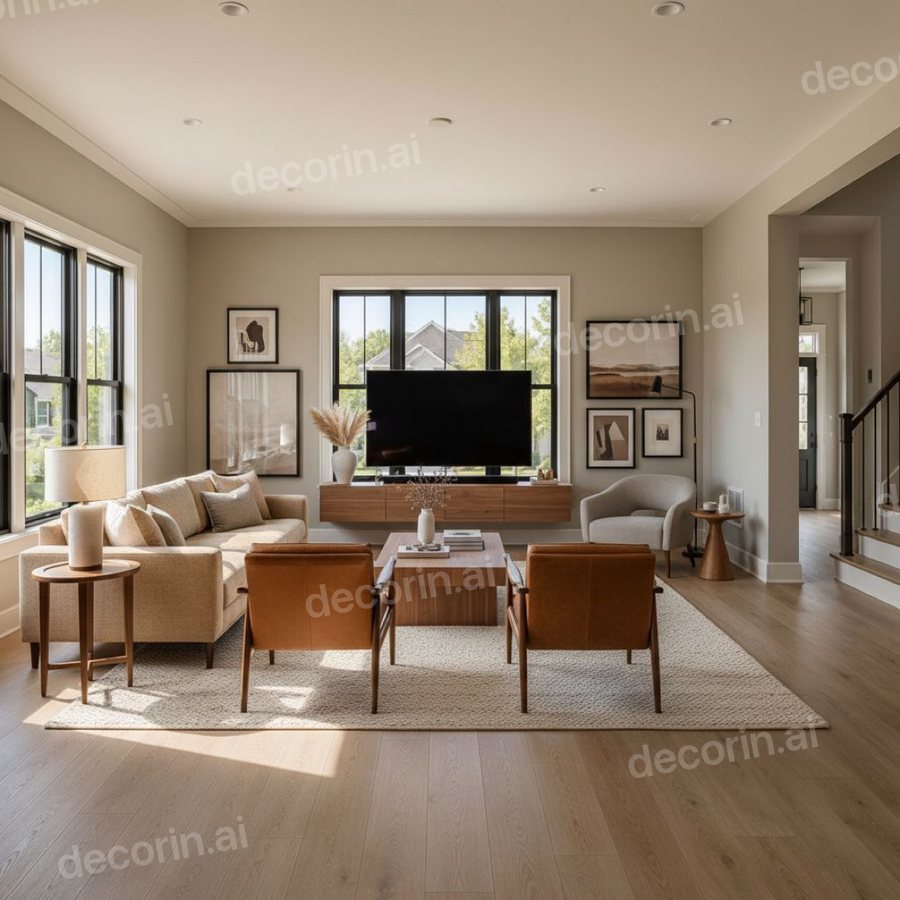
One photo of an empty room, one style, about twenty seconds. The windows, the doorway, the floor and the camera angle are the ones in the photograph — only the furnishing is new.
How to take the perfect photo
- Shoot from a corner. You capture two walls and the floor, giving the AI the full space.
- Use daylight. Open the curtains; avoid dark, shadowy rooms.
- Hold the phone level. Extreme up/down tilt distorts the room.
- Don't over-crop. Include the floor and ceiling line so proportions read correctly.
- Tidy the big stuff. You don't need a spotless room, but clear the floor of laundry piles so the AI focuses on the space.
Refine with plain words
The magic isn't the first render — it's the iteration. Good edits are specific:
- Name the one thing. "Change the sofa to a cream bouclé" beats "make it nicer".
- Add material & color. "light oak floor", "sage-green walls", "black metal floor lamp".
- Set the mood. "warm, cozy evening lighting" or "bright and airy".
- Protect what you love. Add "keep everything else" so only your target changes.
Change one thing at a time
The difference between a toy and a tool is control. Instead of regenerating the whole room and gambling, the best approach is to lock a design you like and then spot-edit: brush just the sofa to swap it, repaint one wall, or remove an object — while everything else stays pixel-identical. That's how you dial a room in instead of rolling the dice. See how to change one thing in a room photo for the step-by-step, with real before and after shots.
Redesign your room from a photo now
Upload one photo, pick a style, and see your space transformed in seconds — no signup, no credit card. Then refine it with words.
✨ Redesign My Room — FreeWhat people actually use this for
- Homeowners & renters testing styles before buying furniture or paint.
- Realtors & stagers showing an empty or dated room's potential (virtual staging).
- Furniture shoppers seeing how a piece or palette lands in their actual space.
- Anyone briefing a designer or contractor — a clear visual beats a vague description and cuts billed hours.
DecorIn does all of this from a single photo — free in the browser, with the app adding HD downloads, unlimited styles, spot edits, object removal and 2D→3D floor plans.
Frequently asked questions
Can I redesign a room from just a photo?
Yes. Upload one clear photo and AI restyles it while keeping your real walls, windows and layout — then you refine it with plain-language edits.
What photo works best?
A clear, well-lit shot from a corner so the whole room is visible. Avoid heavy blur, extreme angles and dark rooms.
Is it free?
Yes — DecorIn redesigns a room photo free in the browser, no signup. The free app adds HD downloads, unlimited styles, spot edits and 2D→3D.
Will it keep my room's layout?
Yes. Your walls, windows, doors and camera angle are preserved; the furniture, color and decor change around them.