Home · Blog · Change One Thing in a Photo
How to Change One Thing in a Room Photo
You wanted a different sofa. The AI gave you a different apartment. Here is why that happens, and how to change exactly one element while everything else stays where it was.
Short version
Most AI room tools redraw the entire image, so every surface changes whether you asked or not.
The fix is masked editing — mark the region you want changed, and only that region is regenerated.
Name one element, not a mood. “Change the sofa to cream bouclé” works; “make it nicer” does not.
Add “keep everything else” to protect the parts of the room you already like.
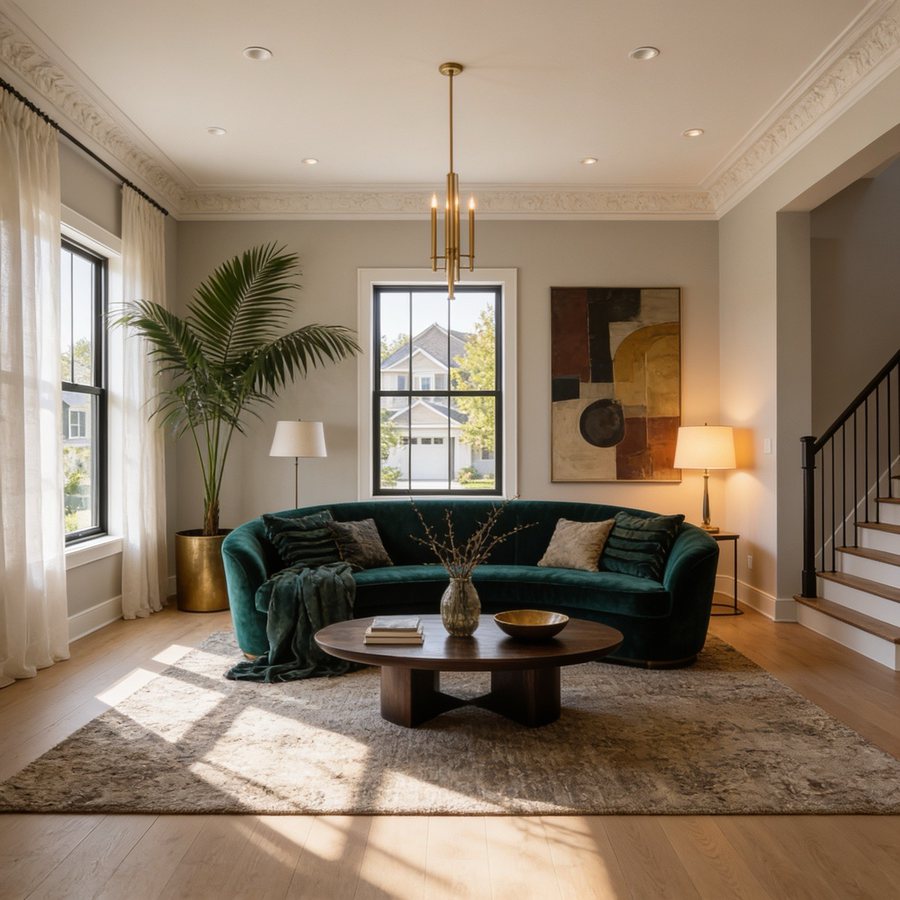
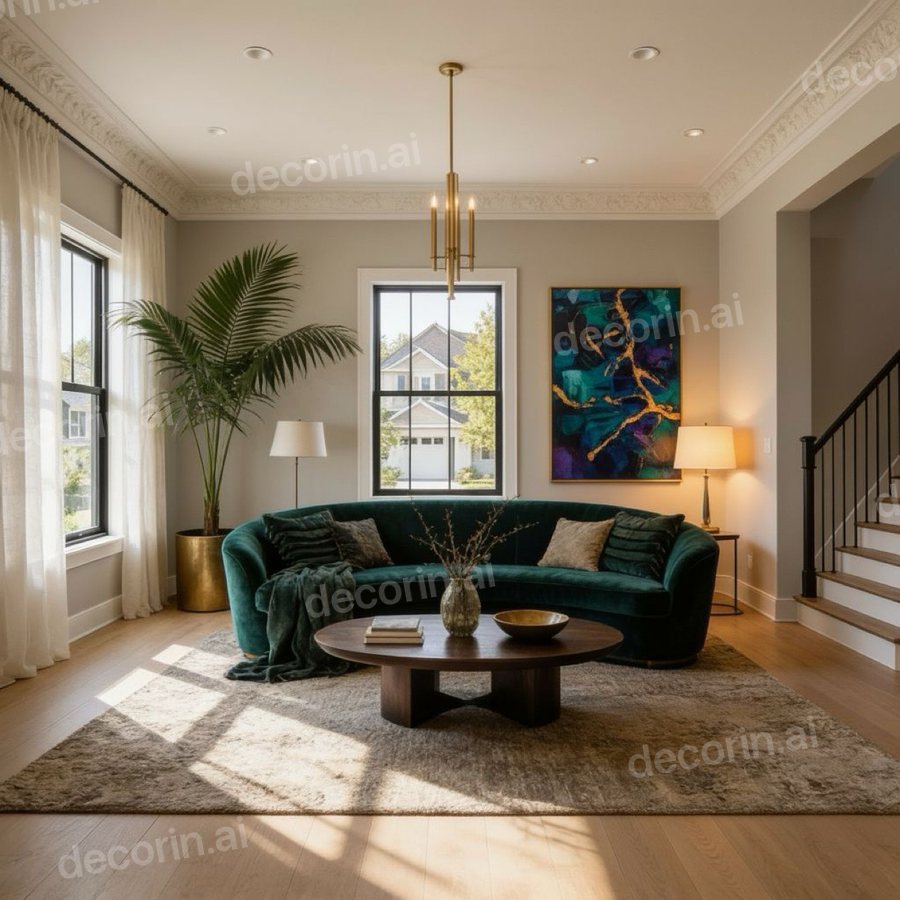
A real DecorIn edit: “change the painting to a bold teal and gold abstract.” The sofa, the rug, the palm, the lamps and the light falling across the floor are the same pixels they were. The decorin.ai watermark is the one every free design carries.
Want to try it on your own room? Upload a photo and change one thing — free, no signup.
Why AI changes everything
Most AI room design works by image-to-image generation. Your photo and a style prompt go in; a brand new image comes out. The model uses your photo as a reference for shape and perspective, but it is drawing a fresh picture, not editing yours.
That is why the floor changes when you asked about the sofa. Nothing in the process distinguishes "the part the user wants changed" from "the part the user likes." There is no such distinction in the model's input. Every pixel is up for negotiation.
It also explains the other complaints that come with it — windows drifting, a radiator vanishing, the room subtly becoming a slightly different room. The model is not preserving your space. It is reimagining it, every time.
What masked editing actually does
Masked editing — also called inpainting, spot editing, or region editing — changes the process in one important way: you supply a mask alongside the photo. The mask marks which pixels are allowed to change.
The model regenerates only inside the mask, then blends the new content against the untouched pixels around it. The result is your original photograph with one area rewritten. The floor you liked is still, precisely, the floor you liked — not a regenerated approximation of it.
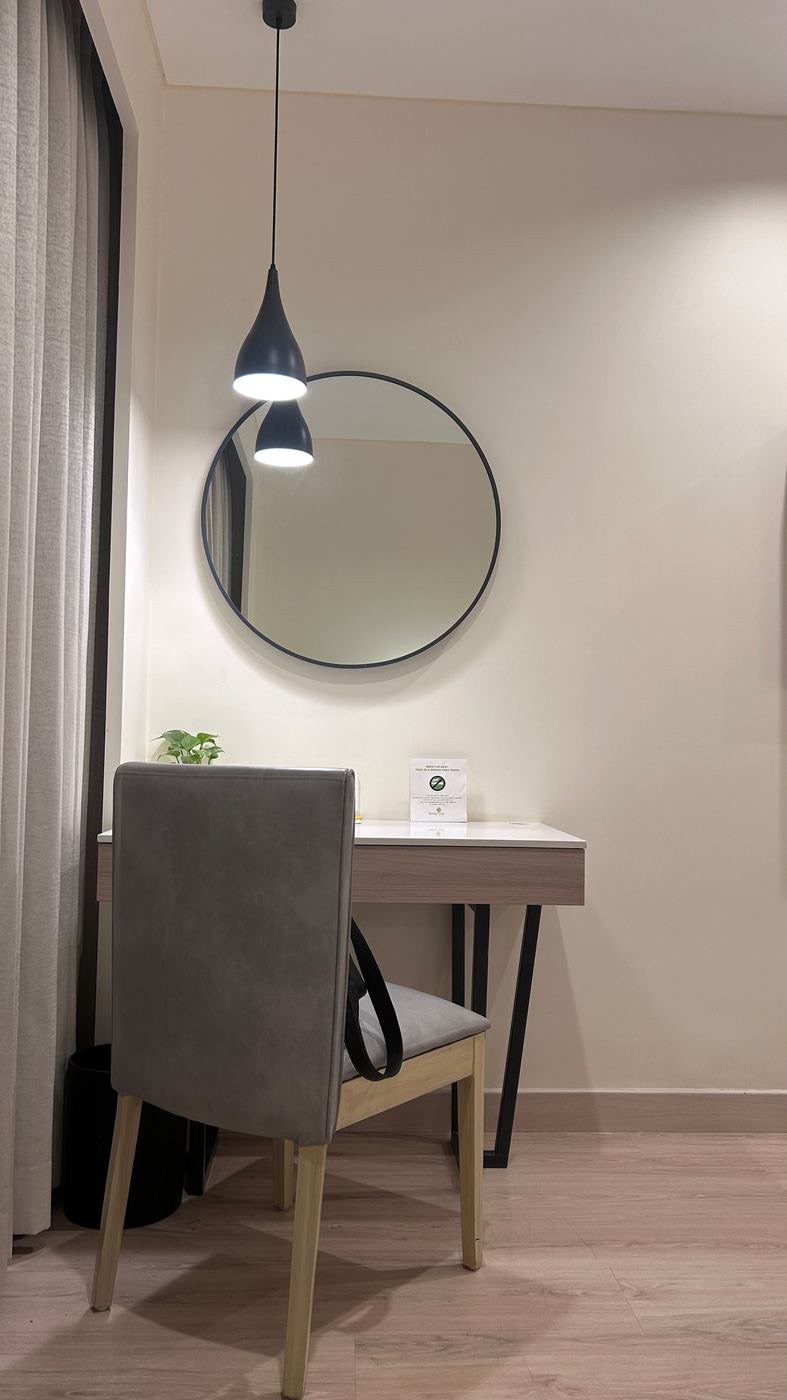
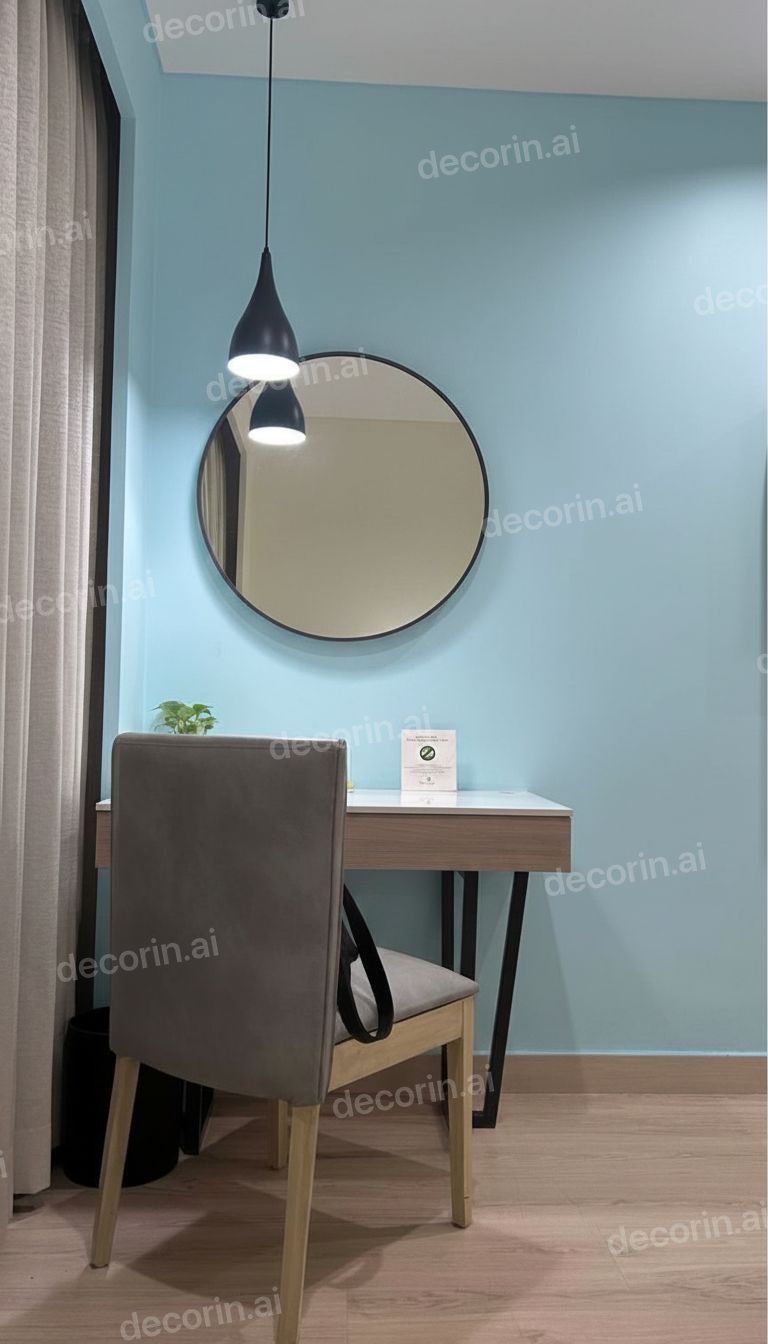
The mask covered the wall and nothing else. “Paint the wall soft blue” leaves the mirror, the desk, the chair, the pendant and the floorboards exactly as photographed.
Two things follow that are worth knowing:
- Lighting has to match. Good implementations sample light and shadow from the surrounding pixels. If your new sofa looks pasted in, the tool is not doing this well.
- Mask edges matter. Mark slightly beyond the object, including its shadow and where it meets the floor. A tight mask leaves a ghost of the old object behind.
The five steps
- Shoot the photo properly. Stand in a corner so the whole room is visible, shoot in daylight, hold the phone level. Masked editing depends on the model reading the surfaces around your mask — bad input degrades the blend, not just the style.
- Mark only the thing you are changing. Brush the sofa, the wall, the floor. Include its shadow. Do not select half the room out of caution — a larger mask means more of your room gets rewritten.
- Describe the replacement concretely. Material, color, and form. "Cream bouclé three-seater with light oak legs" gives the model something to draw. "Nicer sofa" gives it nothing and it will invent something.
- Generate, then check the edges. Look at where the new object meets the floor and wall. That seam is where a weak tool reveals itself.
- Refine in words rather than re-rolling. "Make it slightly larger," "warmer tone," "move it left." Re-rolling from scratch throws away the result you were nearly happy with.
Prompts that isolate one element
Even with a mask, the wording steers the result. These patterns work:
- Name the object, then the spec. "Replace the sofa with a cream bouclé three-seater, light oak legs."
- Give the material, not just the color. "Sage green matte paint" beats "green." Material carries how light behaves.
- State what stays. "Keep the flooring, windows and lighting exactly as they are." Redundant with a good mask, useful insurance with any tool.
- One change per generation. Two changes at once makes it impossible to tell which instruction caused which result.
And the pattern that fails: mood words with no object. "Cozier," "more modern," "elevated" describe a feeling. The model will act on it by changing everything it can reach.
The five common jobs
Testing a paint color
Mask the walls only — not the trim, not the ceiling unless you mean it. This is the single job where whole-room generation is useless: if the furniture changes too, you cannot judge the color. Do one wall at a time for an accent wall.
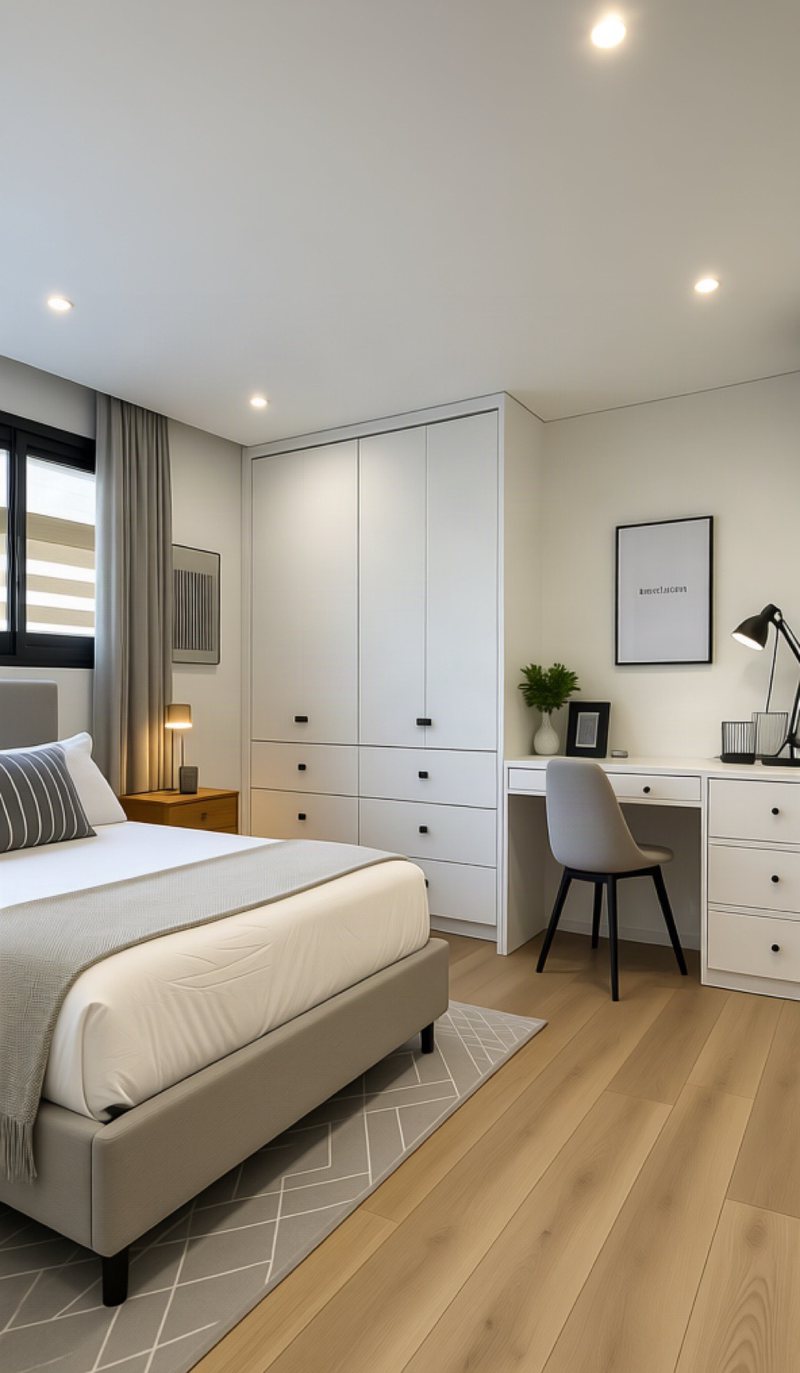
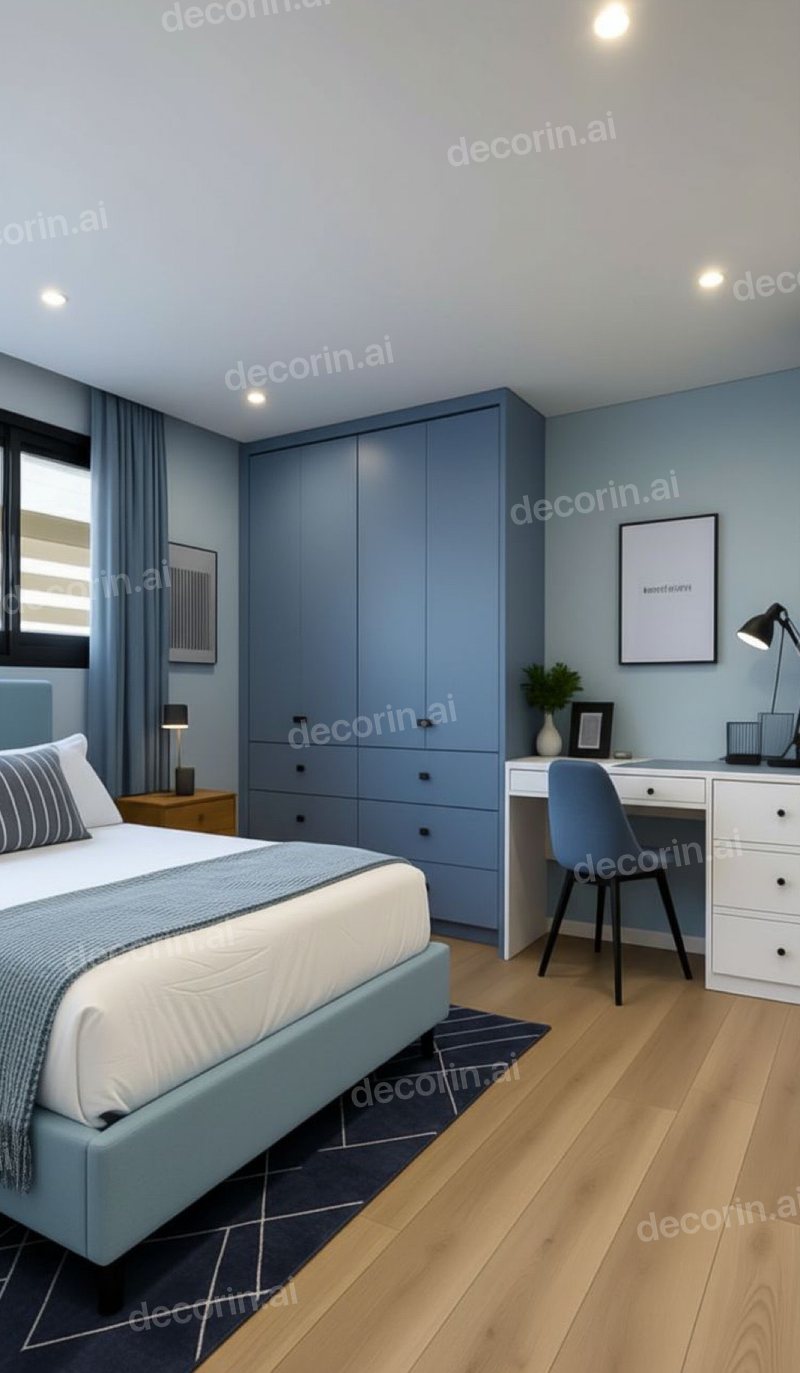
A whole scheme is still one instruction: “make it blue.” Every piece of furniture stays where it was, the same size and shape, so the colour is the only thing you are judging.
Trying furniture before buying
Mask the existing piece and describe the replacement in retail terms — the words from the product listing work well. This is the highest-value use of the technique, because it is attached to a real purchase decision.
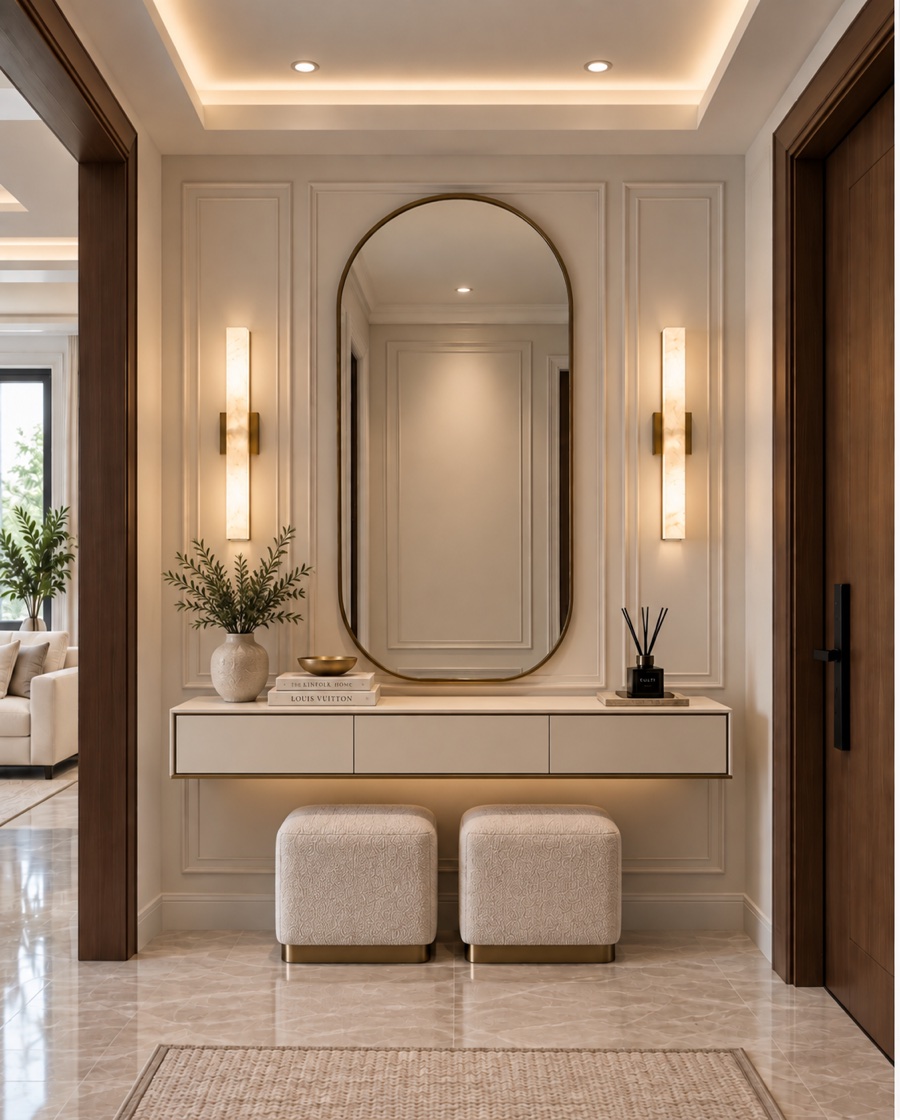
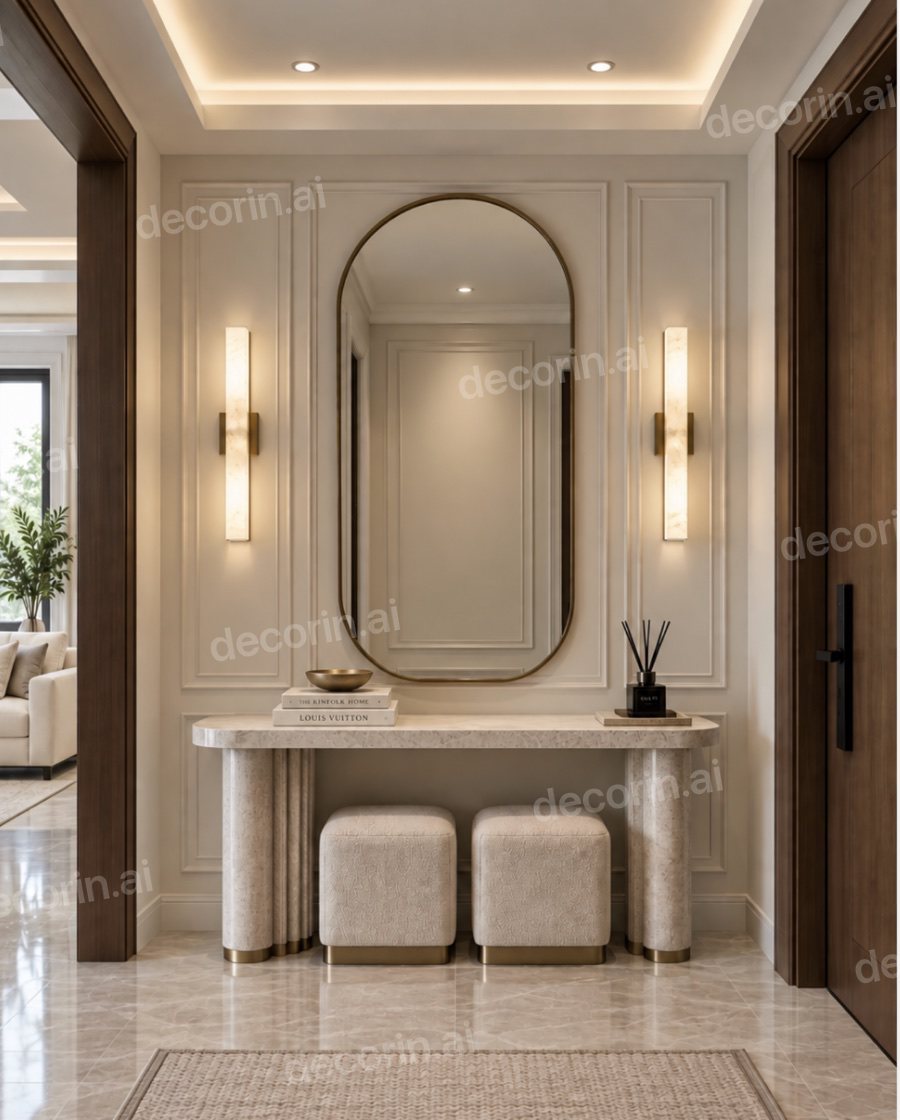
“Replace the console with a stone-top table on brass legs.” The mirror, the panelling, the sconces, the stools and the doorway all survive the edit.
Changing the floor
Mask the floor plane. Expect this one to be harder: floors carry perspective and reflections, and weak tools produce a flat texture that reads as a sticker. Check that the new floor still recedes correctly toward the back of the room.
Adding something that is not there yet
The same mask works in reverse: mark an empty stretch of wall or floor and describe what should appear on it. A television, a shelf, a radiator cover, a pantry in a blank alcove. Say where it sits and roughly how big it is, because an empty region gives the model no object to take its scale from.
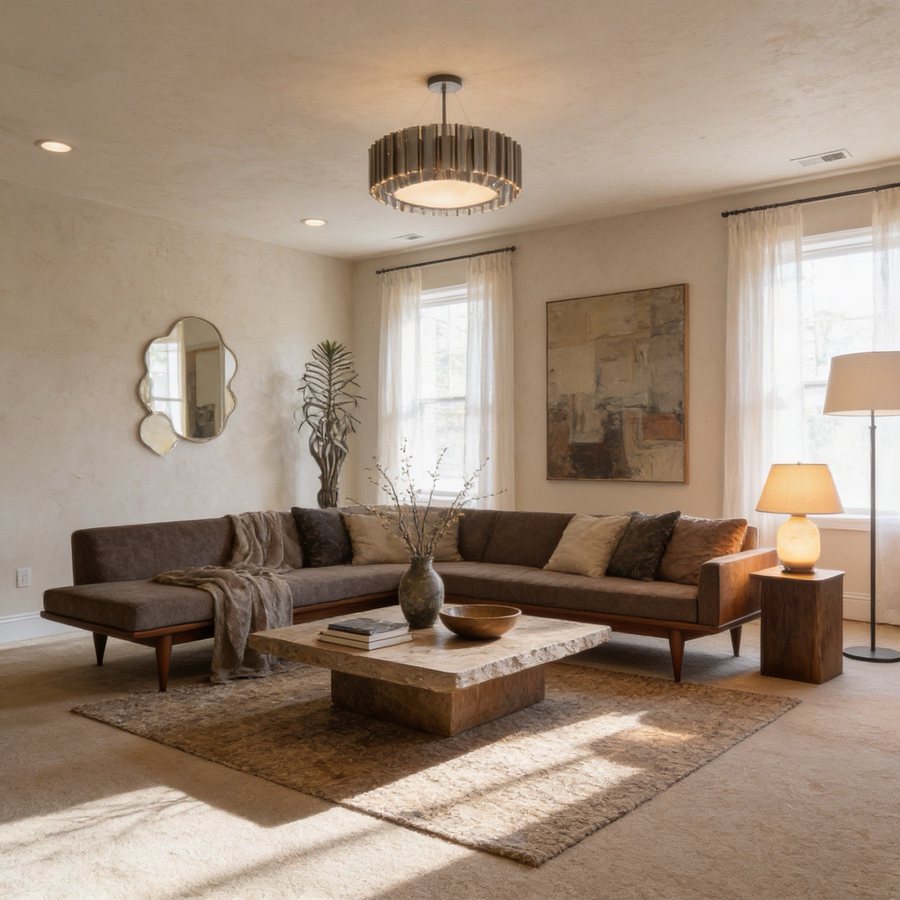
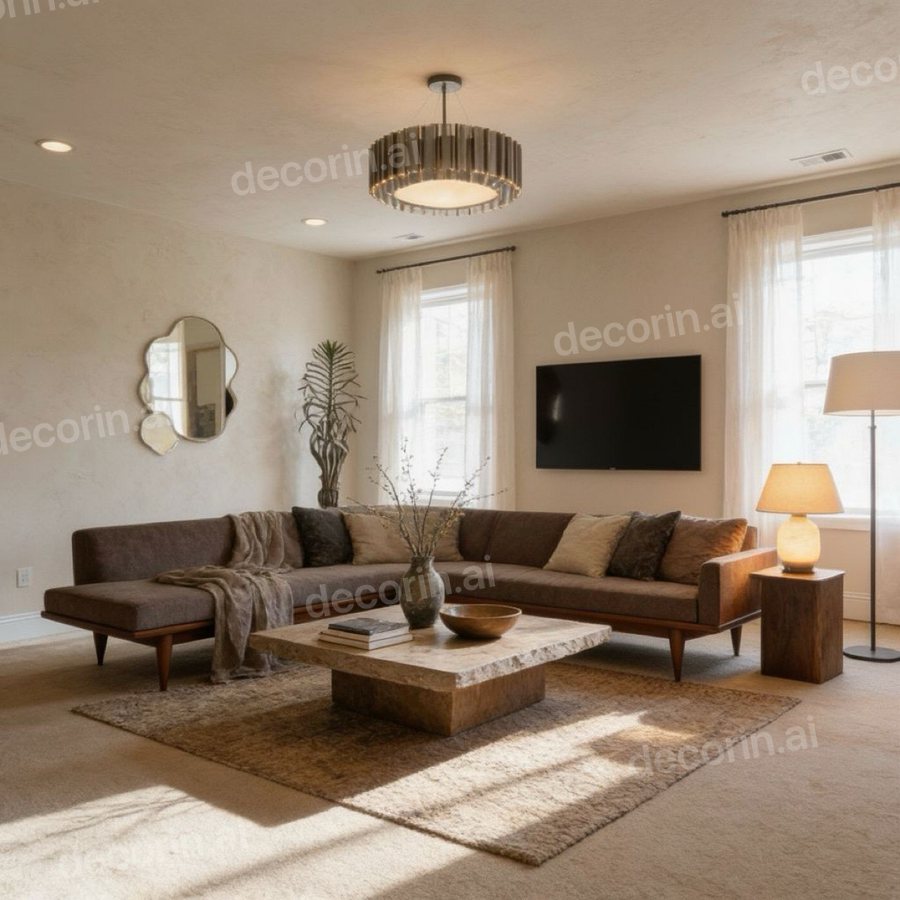
“Mount a TV on that wall.” It arrives at the right height and scale for the sofa, and the sectional, the travertine table, the mirror and the lamps are untouched.
Removing clutter
Mask the object and ask for it to be removed and the surface behind it continued. Genuinely the easiest job on this list, and the fastest way to see what a room could feel like without touching anything physical.
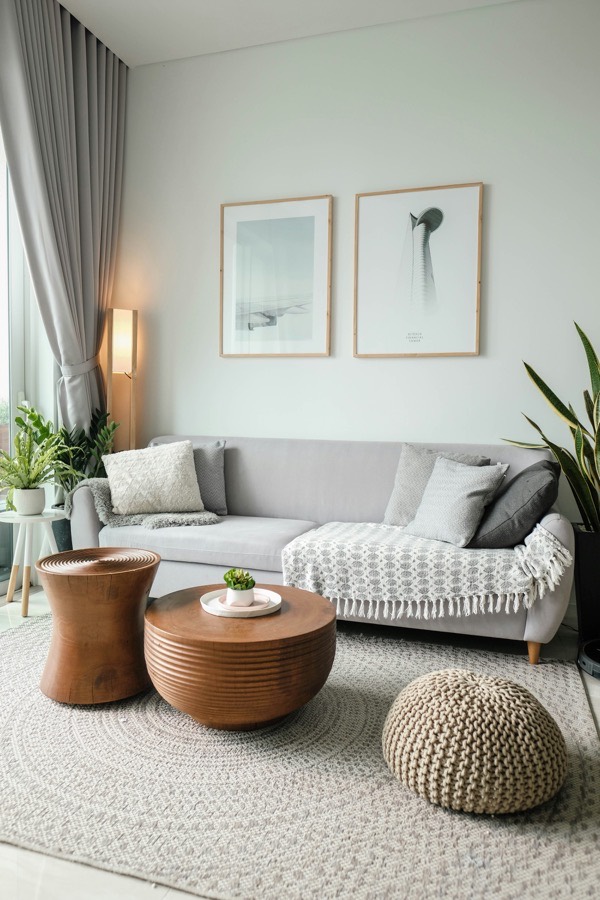
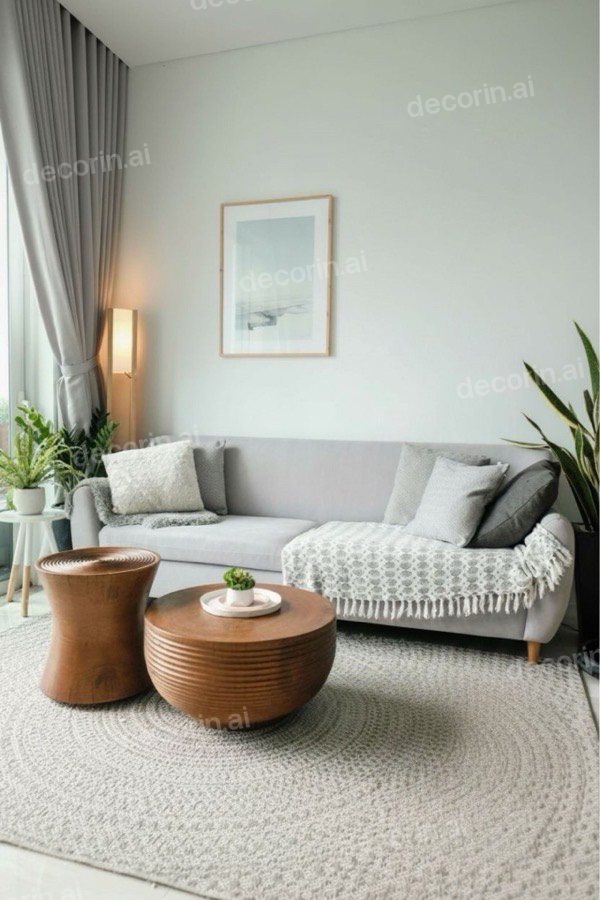
“Remove the pouf and the right-hand print.” The rug pattern is rebuilt where the pouf sat, and nothing else in the frame moves.
When it still goes wrong
- A ghost of the old object remains. Your mask was too tight. Redo it including the shadow and contact edges.
- The new object floats. The tool is not sampling surrounding light. Try a photo with more even lighting, or a different tool.
- Everything changed anyway. The tool advertises region editing but regenerates the full frame underneath. Test it deliberately: change one wall and compare the opposite wall pixel for pixel.
- The result is bland. Your description was abstract. Go concrete — material, color, size, era.
You can test this on your own room right now — DecorIn gives you a free redesign in the browser, no signup and no credit card.
Frequently asked questions
Can AI change just one thing in a room photo?
Yes, with masked editing (also called spot editing or inpainting). You mark the region you want changed and only that region is regenerated, leaving the rest of the photo untouched. Tools that do whole-image generation cannot do this.
Why does AI redesign my whole room when I only wanted one change?
Most AI room tools generate a brand new image from your photo plus a prompt, rather than editing your photo. Nothing in that process separates what you want changed from what you want kept, so every surface is redrawn.
How do I change only the wall color in a photo?
Mask the walls alone — excluding trim and ceiling unless you want those changed too — and specify the paint in material terms, such as “sage green matte.” This is the one job where whole-room generation is useless, because changed furniture makes the color impossible to judge.
How do I replace just the sofa in a room photo?
Mask the sofa including its shadow and where it meets the floor, then describe the replacement concretely — material, color, size and leg style. A mask that is too tight leaves a ghost of the original behind.
Pricing and feature details were checked in September 2026 and change often — verify current terms on each provider's own site before deciding.